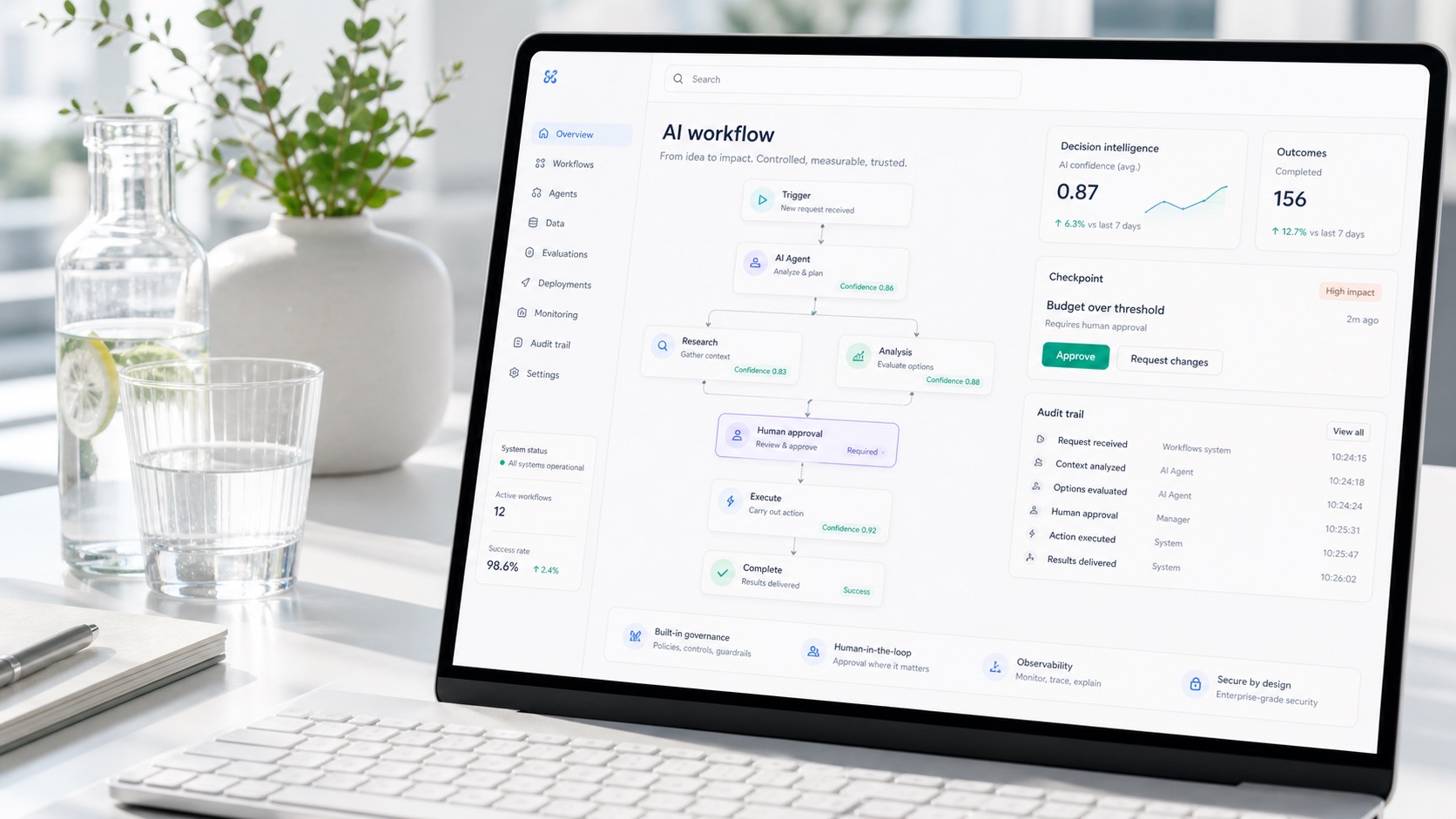
explainable AI interface

Make AI recommendations understandable, usable and trusted.

Lumethica designs explainable AI interfaces that show what AI recommends, why it matters, how confident the system is and when a human should review the decision.

Short definition

What is Explainable AI Interface Design?

Explainable AI Interface Design makes model outputs, recommendations and uncertainty visible through evidence, confidence, source trace and human review patterns.

  • Designed around a real workflow
  • Connected to business data and user outcomes
  • Includes trust and control assumptions

Pain diagnostic

If users cannot understand AI, they will either ignore it or overtrust it.

AI adoption breaks when people cannot see why a recommendation was made, how reliable it is, what data influenced it or what action is safe. Explainability is also a product and interface problem.

Graphite illustration of tangled signals becoming clear explainable decision paths
XAI interface previewMake recommendations legible through evidence, confidence and source trace.

Explanation model

A clear structure for recommendations, predictions or AI outputs.

Trust components

Confidence, evidence, limitations, risk and human review.

Product-ready XAI

Design that supports adoption, trust and auditability.

What we design

Explainability inside the product experience.

  • Explanation panels
  • Confidence and uncertainty states
  • Source trace and evidence views
  • Model reasoning summaries
  • Risk and limitation cards
  • Human approval flows
  • Bias, drift and fairness indicators
  • AI output history and audit trail
  • Model/system cards for product users

What you get

02

Evidence and source trace

Show the data, documents or signals behind an output where users need trust.

03

Confidence and limitation states

Make uncertainty visible so users know when to act, review or escalate.

04

Review and override flow

Design the human moment for approval, correction, feedback and auditability.

05

Design-system ready components

Leave with reusable UI patterns that product and engineering can implement.

Design principles

Make uncertainty actionable.

Show recommendation first

Then explain the top influencing signals.

Avoid false precision

Expose confidence without pretending certainty.

Design for review

Support override, feedback and compliance evidence.

Process

From AI decision audit to design system-ready components.

1

AI decision audit

Understand outputs, users and decisions.

2

Explanation model

Define what should be shown and why.

3

UX patterns

Create components and interaction states.

4

Prototype

Test explainability in a realistic interface.

5

Specification

Prepare handoff for product and engineering.

Trust and control built in

Keep compliance evidence close to the decision.

The interface can show confidence, source trace, review status and limitations where users actually make decisions, not hidden in policy documents.

FAQ

Common questions.

Is explainability only for regulated industries?

No. Regulated industries need it most, but any AI product benefits when users can understand and safely act on AI outputs.

Do you implement SHAP or model explainability methods?

The sprint can work with available model explanations or define what needs to be exposed.

Can this be added to an existing product?

Yes. Many projects add explanation, confidence and approval components to an existing AI feature or dashboard.

How does this support AI Act readiness?

It creates practical evidence and user-facing transparency around AI-assisted decisions, while formal legal review stays separate.

Related services

Connect explainability to product and control.

Final CTA

Ready to move from AI idea to a working system?

Design an Explainable AI Interface